Kernl 0.3.0: Everything an Agent Is, in One Drawer
The agent drawer pulls mandate, tools, runtime and triggers into a single panel. Plus per-agent skill recommendations, MCP connections from the dashboard, and macOS builds signed and notarized in the right order.
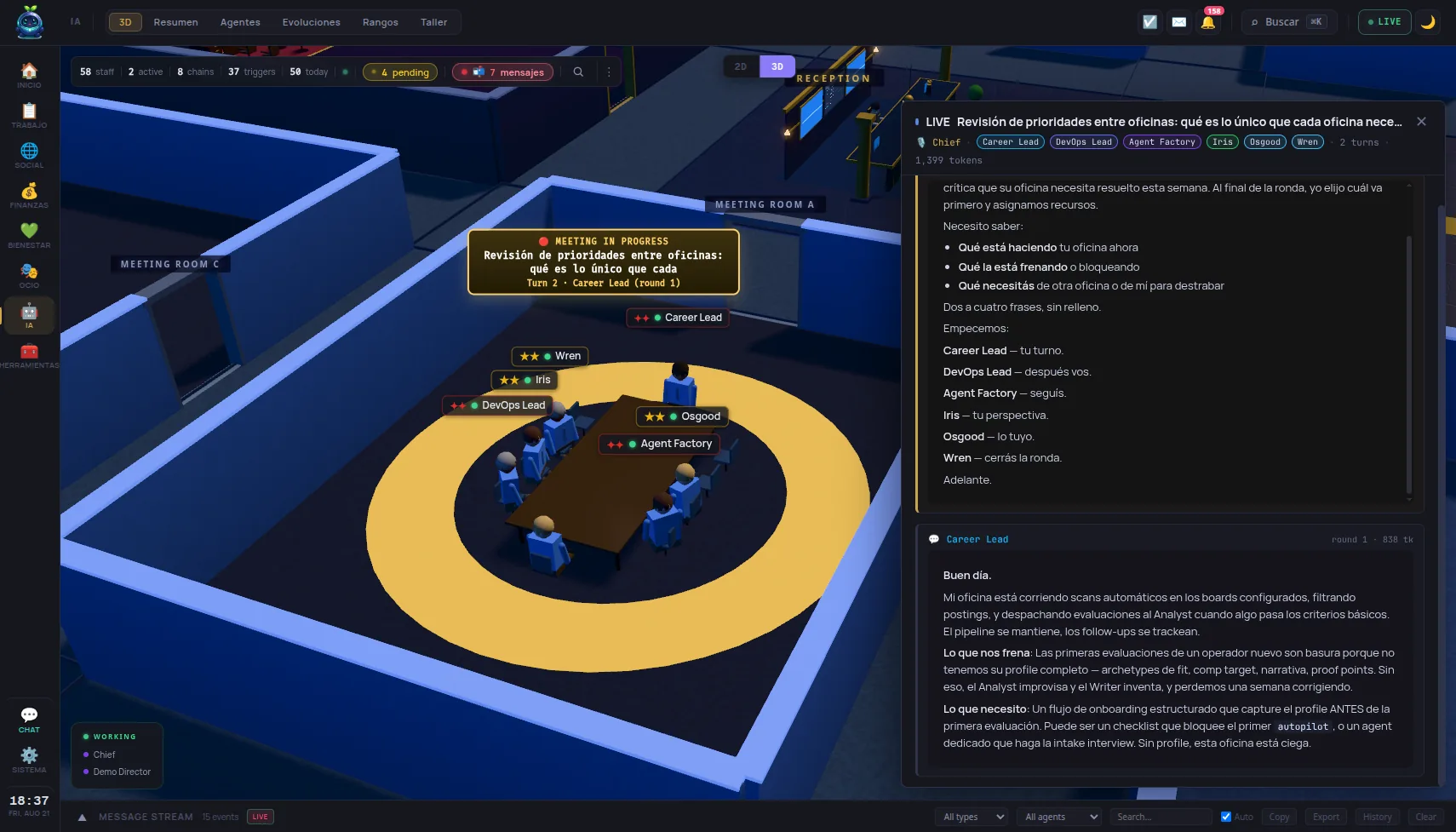
Everything that defines an agent in Kernl — its mandate, its runtime, its tools, its skills, what wakes it up — used to be spread across a panel welded into the 3D world and a second, half-duplicated panel on the agents page. This release pulls it into one drawer that both pages mount, and then spends most of its commits filling that drawer in.
One panel, mounted in two places
The agent drawer was extracted out of the 3D world into its own shell, with its own store, and it now mounts on the agents page as well. Its tree carries the mandate, the default goal, the allowed tools, the variables, the appearance and the runtime. That last one matters: the runtime is editable from the panel itself, rather than from a settings page three clicks away.
Connections, schedule and event triggers became a single triggering section. They were three different places to answer one question: what starts this agent.
Skills that recommend themselves
Every agent now has its own skills tab, where suggestions, installation and attachment happen in one place. Suggestions are served over HTTP from a scoring core lifted out of the suggester cron, and catalogue skills are scored alongside the ones the agent already has installed.
That difference isn’t cosmetic. The ranking now answers what should this agent learn next instead of what does it already have.
Skills can also be added from a repo URL without leaving the tab. For script agents, which cannot use skills, the tab simply doesn’t appear.
MCP connections from the dashboard
Add an MCP server, sign in, and have it stay working. Before, that meant editing a config file and restarting.
This release also adds in-app update on Linux and Windows — macOS already had it — and the Windows installer now bundles the agent and MCP SDKs, so a fresh install can run an agent without a separate toolchain.
Signed and notarized, in the right order
macOS builds are signed and notarized, and the order was the part that was wrong. Every nested Mach-O is now signed before the bundle that seals it, the .app is notarized and stapled before it enters the disk image — so it opens with no network — and the portable tarball is repacked from the signed bundle instead of the unsigned one written minutes earlier.
The job also fails when the six Apple secrets are only partly set. It used to ship a signed-but-un-notarized app, which Gatekeeper rejects exactly like an unsigned one. A release built without the secrets is still unsigned, but it says so.
What was broken and invisible
- The store’s update button did not update. It reported success anyway.
- Every
mcp__kernel__*tool was missing fromclaude_coderuns. The kernel’s HTTP API is fail-closed and the MCP server reached it with noAuthorizationheader, so/mcpanswered 401 and the server never finished initializing — silently. The agent started regardless, found only its built-ins, and improvised. It now presents the token the process already holds. - A failed run left the chat thread silent. The panel fell back to the run row only when the thread held no agent message at all, so from the second failure onward the failure vanished entirely: the operator saw their own message, no reply, and no error. The reason is now persisted and rendered as a line that names the control which actually fixes it. A step budget that ran out says which setting moves it, rather than “Reached maximum number of turns (15)”.
- Every animated event tag was dead. The icon never carried the class its keyframes hang off, and the keyframes were referenced by a name Svelte had already rewritten. Pulse, spin, shake, wobble, bounce, sparkle and pop had never once played.
- Array and object arguments an executor had serialised into strings are recovered, instead of reaching the tool as
"[object Object]".
The “thinking” indicator changed too. It was a ⚙️ glyph spinning over the agent’s head, and at office camera distance a rotating glyph reads as a vibrating speck. It is now three dots breathing in sequence inside the nameplate, in the agent’s flow colour.
How to upgrade
curl -fsSL https://lifekernl.com/install.sh | sh
The same command installs and updates. On macOS and Windows the update runs from the app. Full detail is in the CHANGELOG, and signed rpm, deb, dmg and msi binaries are on the release page.