@matware/e2e-runner
JSON-driven E2E testing with reusable modules, test intelligence, parallel execution, and 17 MCP tools for AI-native workflows.


 17 MCP Tools
See it in action
Claude Code creating and running JSON tests through the MCP server — with the real-time dashboard.
84% Less Code
We converted the E2E tests of a real medical application from Playwright (TypeScript + Page Object Model) to e2e-runner (JSON + modules).
Before — Playwright
2,170
lines of TypeScript
84%
reduction
After — e2e-runner
338
lines of JSON
import { Page, Locator } from '@playwright/test';

export class LoginPage {
  readonly page: Page;
  readonly usernameInput: Locator;
  readonly passwordInput: Locator;
  readonly loginButton: Locator;

  constructor(page: Page) {
    this.page = page;
    this.usernameInput = page.locator('input[name="username"]');
    this.passwordInput = page.locator('input[name="password"]');
    this.loginButton = page.getByRole('button');
  }

  async login(username: string, password: string) {
    await this.usernameInput.fill(username);
    await this.passwordInput.fill(password);
    await this.loginButton.click();
  }
  // ... 100+ more lines
}
{
  "$module": "auth-login",
  "params": {
    "username": { "required": true },
    "password": { "required": true }
  },
  "actions": [
    { "type": "goto", "value": "/" },
    { "type": "type", "selector": "input[name='username']", "value": "{{username}}" },
    { "type": "type", "selector": "input[name='password']", "value": "{{password}}" },
    { "type": "click", "text": "Sign In" },
    { "type": "assert_url", "value": "dashboard" }
  ]
} Same functionality. QA, product, and devs can all write and understand the tests. Claude Code can generate, modify, and run them directly via MCP.
Reusable Modules
Replace Page Objects with composable JSON modules. Parameterized, with conditionals and cycle detection.
Use any module in your tests with a single line:
{ "$use": "auth-login", "params": { "username": "admin@test.com", "password": "secret" } } Required, optional, defaults
Modules can use other modules
{{#param}}...{{/param}} blocks
Why e2e-runner?
Everything you need for modern browser testing, nothing you don't.
Reusable Modules
Replace Page Objects with JSON modules. Parameterized, composable, with conditionals and cycle detection. One 23-line module replaces a 184-line TypeScript class.
Test Intelligence
Automatic knowledge extraction: flaky test detection, unstable selectors, error patterns, page health, and API monitoring. SQLite + optional Neo4j knowledge graph.
No-Code Tests
Write browser tests as simple JSON files. No Playwright API, no test framework boilerplate — just declare what you want to test.
Parallel Execution
Run tests across multiple browser instances simultaneously with configurable concurrency via a Chrome pool. Serial mode available per-test.
AI-Native (MCP)
17 MCP tools. Let Claude create modules, run tests, analyze learnings, capture screenshots, and generate tests from GitHub issues — all conversationally.
Visual Verification
Add "expect" to any test and the runner captures a full-page screenshot. Claude judges pass/fail visually.
New in v1.5.0
Lighter tests that drop evaluate blocks, plus a redesigned real-time dashboard.
select_combobox
Open a MUI Autocomplete/Select, filter, and pick the option in a single action — no more evaluate blocks.
Scoped click
click with scope:"dialog", visible:true, last:true to target text inside modals without ambiguous selectors.
wait gone
Wait for an element to disappear (spinner, backdrop) instead of a fixed sleep. Kills a major source of flakiness.
type_react
Type into React-controlled inputs with blur and waitAfter to fire on-blur validation reliably.
Nested Modules
A module can compose other modules and forward their parameters. Stop copy-pasting shared sequences.
Redesigned LIVE View
Horizontal screenshot feed, fixed-slot filmstrip, auto-follow of the running test, and click-to-enlarge.
Find Blank Scan
The Screenshots tab detects and deletes blank captures so they never pollute your reports.
WCAG AA Dark Mode
Accessible contrast across the UI, accent cyan decoupled from PASS green, and project selection persisted across reloads.
The Dashboard
A real-time web UI for every run — the LIVE view was redesigned in v1.5.0.
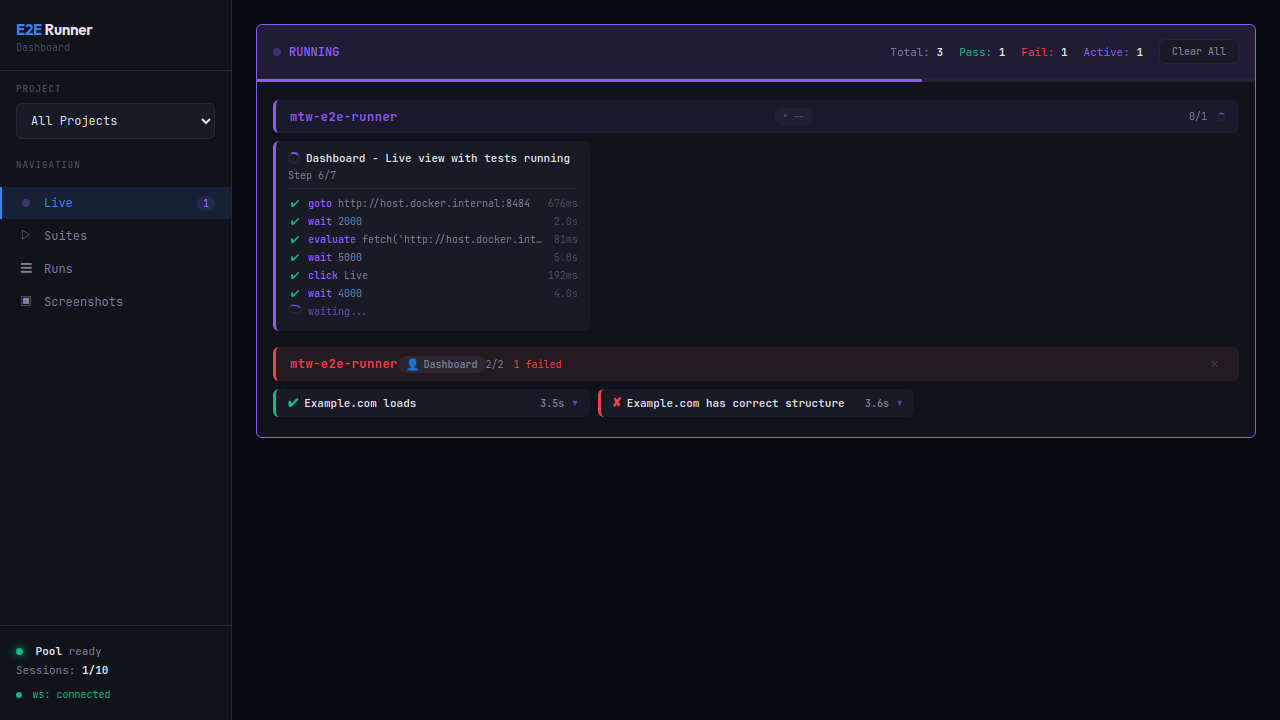
LIVE View
Real-time screenshot feed with auto-follow and filmstrip.
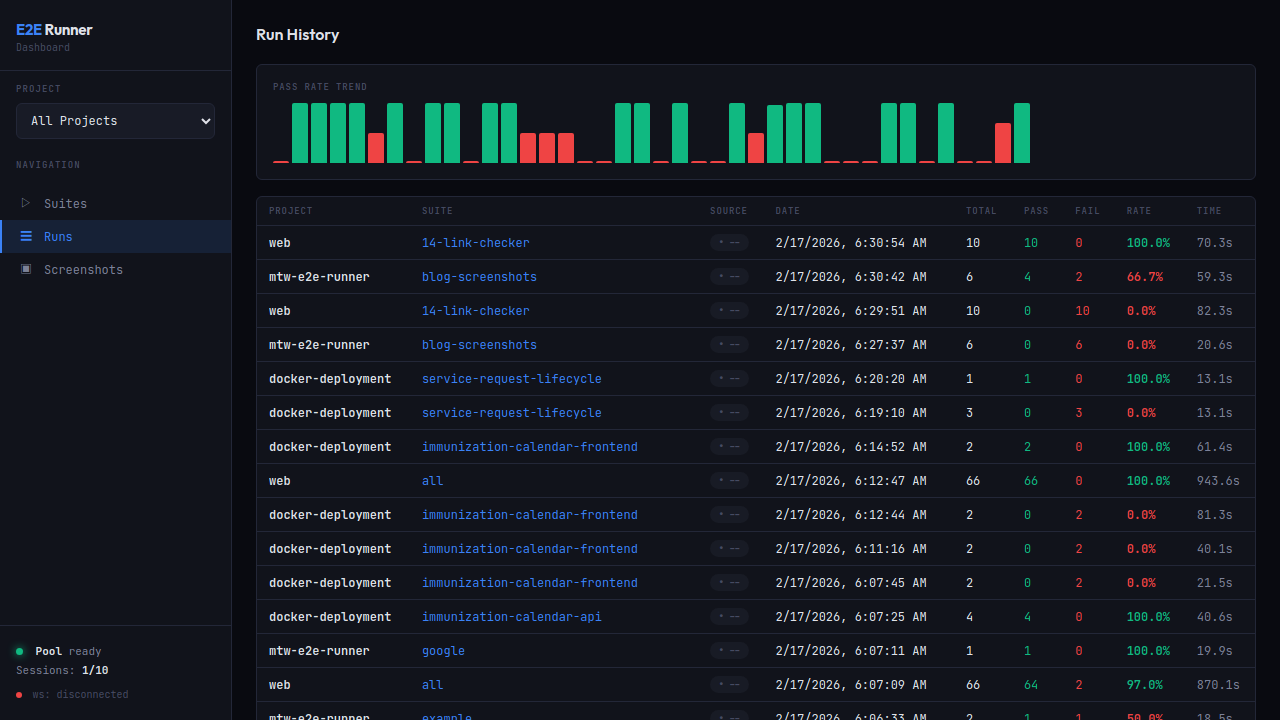
Runs
Every run with pass/fail status, duration, and history.
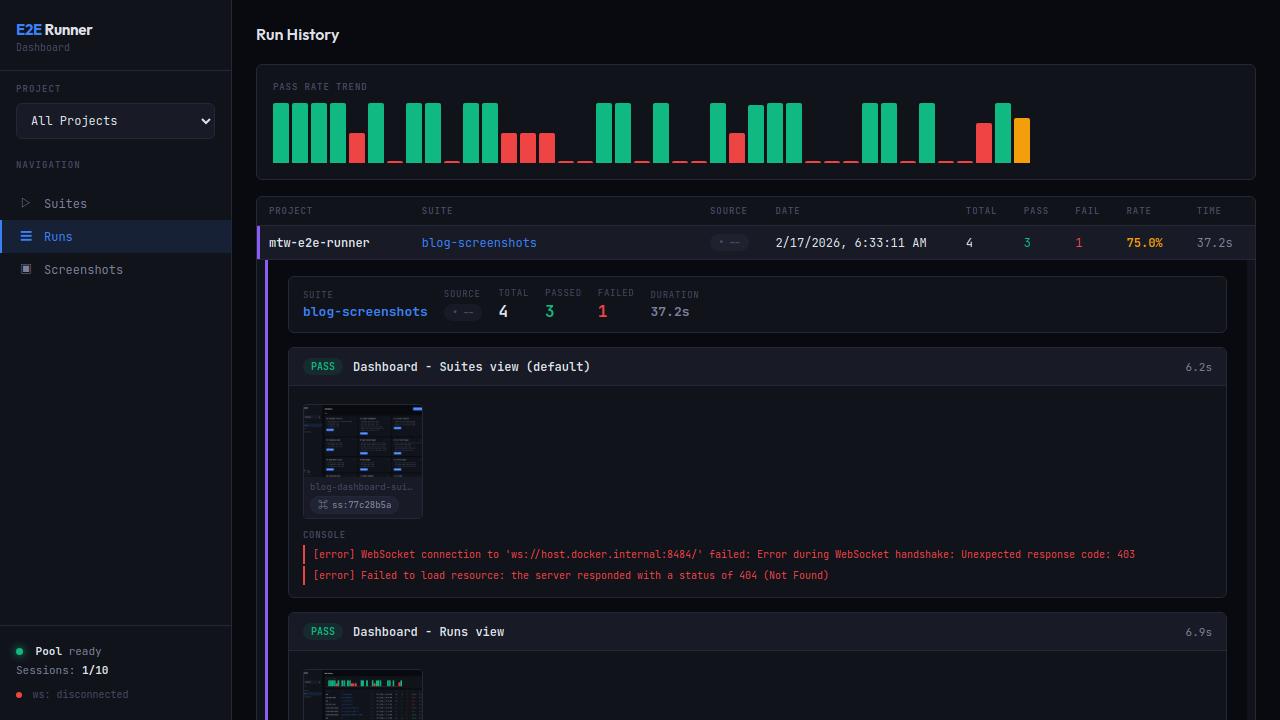
Run Detail
Per-action narration, timings, and network drill-down.
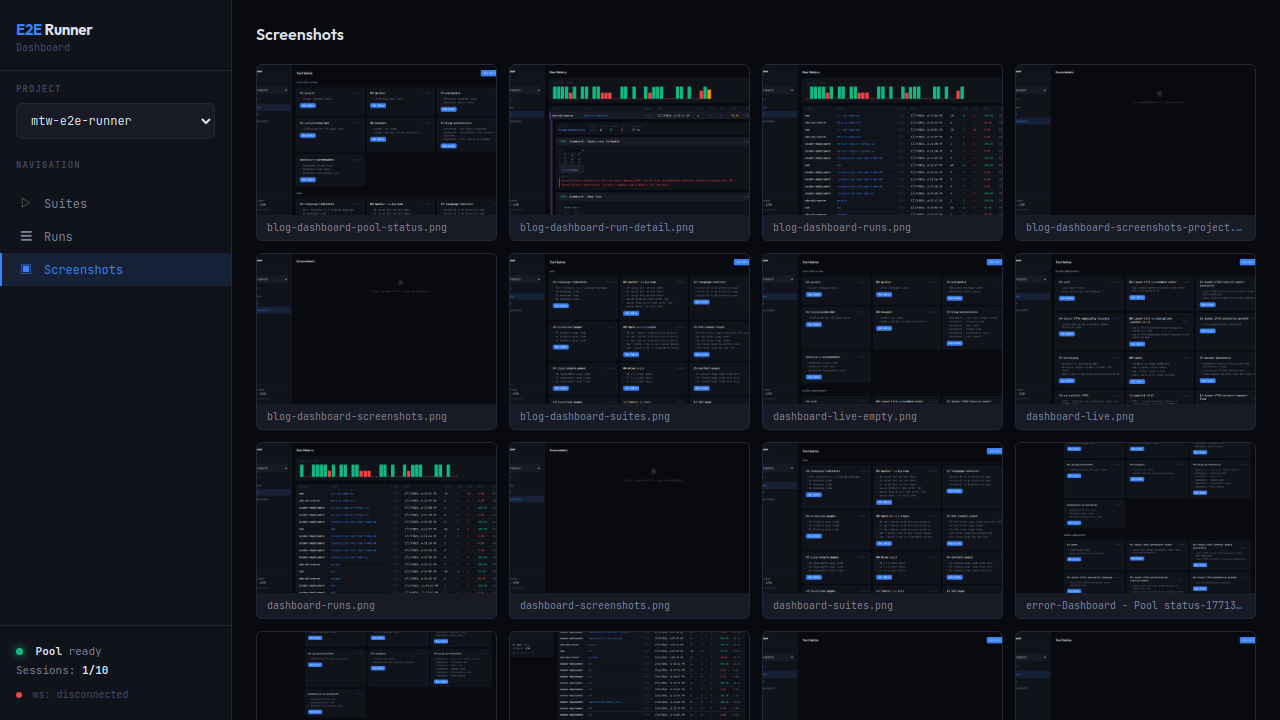
Screenshots
Gallery with the Find blank scan to purge empty captures.
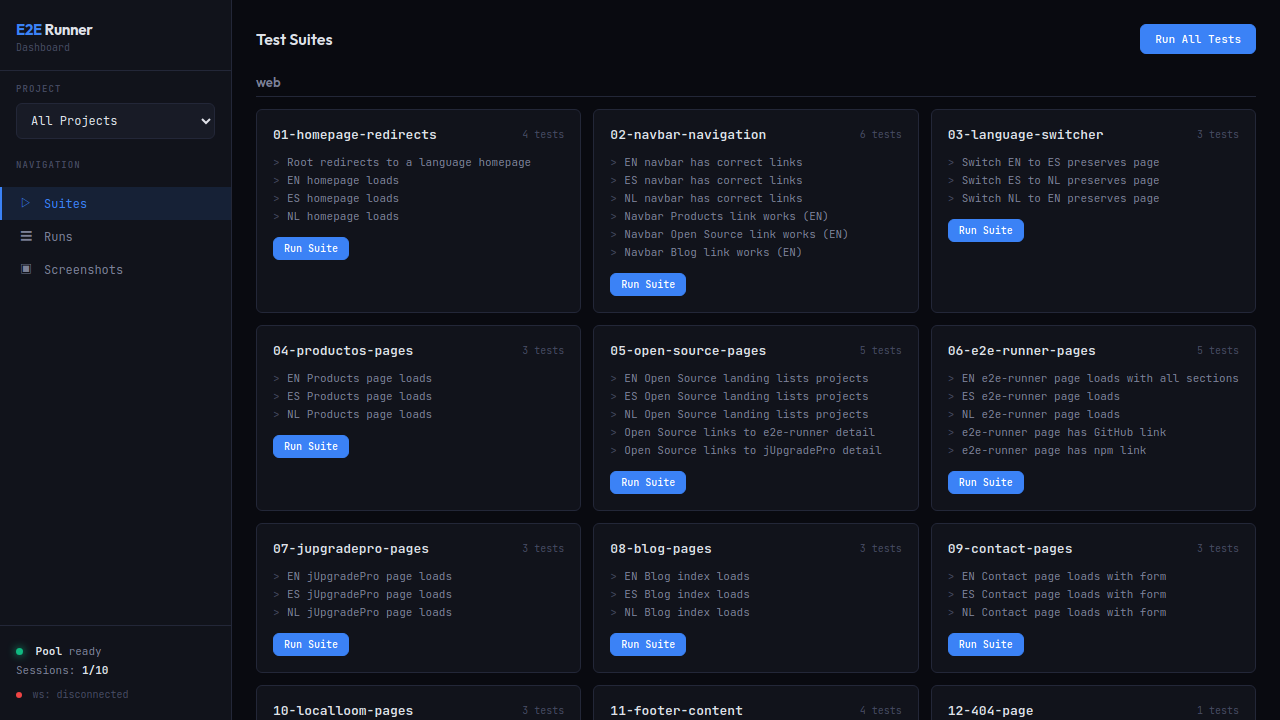
Suites
Browse test suites and reusable modules at a glance.
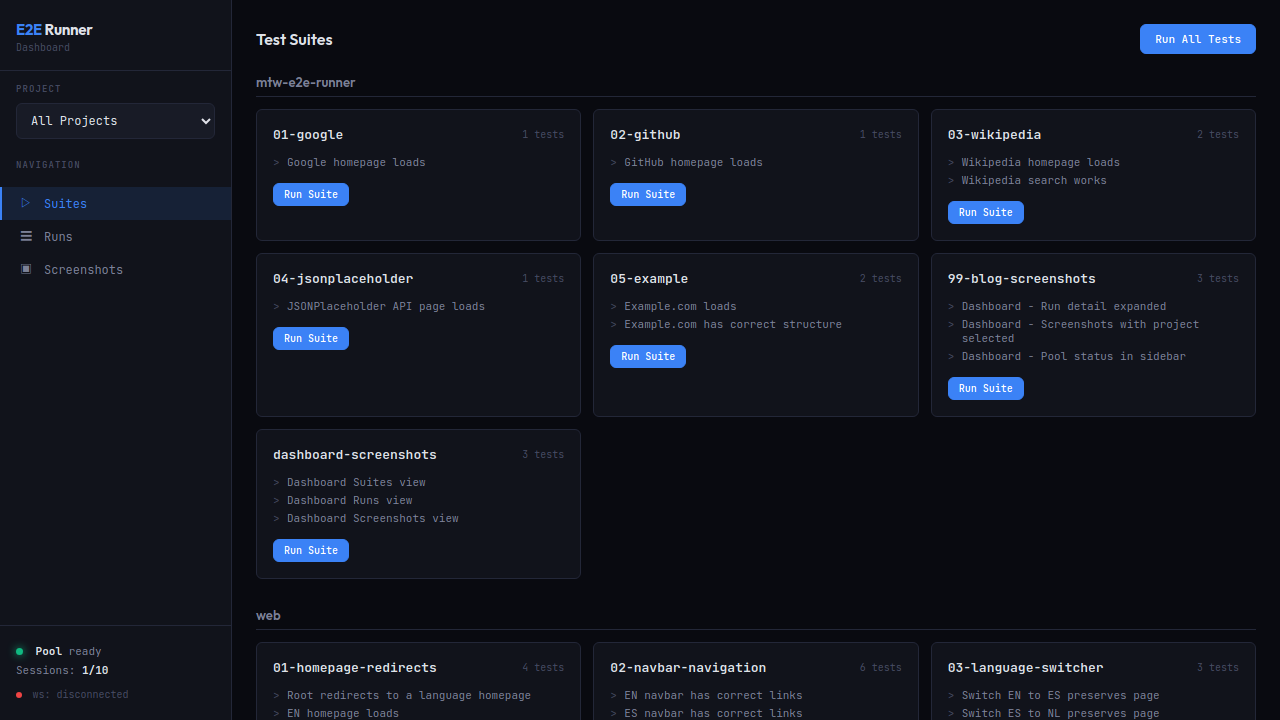
Pool Status
Chrome pool capacity, active sessions, and routing.
Earlier in v1.2.0
Action-level retry, narration, auth injection, network logging, and more.
Action-Level Retry
Retry individual actions without restarting the browser. Global or per-action configuration.
Test Narration
Human-readable descriptions for every action: "Clicked 'Submit' button (78ms)". Auto-masks sensitive data.
Auth Token Injection
Inject JWT into localStorage before tests. Test authenticated apps without login flows.
On-Demand Capture
Screenshot any URL instantly via MCP or CLI without writing a test.
Full Network Logging
Complete request/response capture (URL, method, headers, body). Persisted in SQLite.
Serial Tests
{ "serial": true } runs tests sequentially after the parallel batch.
Exclude Patterns
Skip suites by glob: exclude: ["legacy-*", "wip-*"]
Strict Validation
Structure validation before execution: valid action types, required fields, correct naming.
.env Support
Automatic .env loading. Zero deps, KEY=VALUE, no override of existing vars.
CLAUDE.md Context
AI test generation reads your CLAUDE.md for real routes, selectors, and patterns.
17 MCP Tools
Full AI integration. Every tool available to Claude Code and any MCP client.
| Tool | Description |
|---|---|
e2e_run | Run tests: all, by suite, by file. Supports concurrency, baseUrl, retries, failOnNetworkError |
e2e_list | List test suites and available modules |
e2e_create_test | Create test JSON with expect field and $use references |
e2e_create_module | Create reusable module with params, defaults, and actions |
e2e_pool_status | Chrome pool availability and capacity |
e2e_screenshot | Retrieve screenshot by hash (ss:a3f2b1c9) |
e2e_capture | On-demand screenshot of any URL |
e2e_issue | Fetch GitHub/GitLab issue, generate tests (prompt or verify mode) |
e2e_learnings | Query test intelligence: flaky tests, selectors, errors, trends |
e2e_analyze | Analyze a finished run: failures, flaky signals, and stability insights |
e2e_network_logs | Inspect captured network requests/responses for a run |
e2e_vars | Manage shared variables and secrets available to tests |
e2e_app_pool_status | Status of the app-under-test pool (dev servers) |
e2e_neo4j | Manage Neo4j knowledge graph container |
e2e_dashboard_start | Start the real-time web dashboard |
e2e_dashboard_restart | Restart the real-time web dashboard |
e2e_dashboard_stop | Stop the web dashboard |
claude mcp add e2e-runner \
  npx @matware/e2e-runner mcp
claude mcp add e2e-runner \
  docker run -i --rm \
  matwaredev/e2e-runner mcp
Quick Start
Up and running in four commands.
Install
npm install -g @matware/e2e-runner Initialize
e2e-runner init Start Chrome Pool
e2e-runner pool start Run Tests
e2e-runner run --all 27 Actions
Every action you can use inside a test JSON file. select_combobox and type_react are new in v1.5.0.
| Action | Fields | Description |
|---|---|---|
goto | value | Navigate to a URL |
click | selector | text, scope?, visible?, last? | Click an element — scope to a dialog, require visible, or pick the last match |
type | selector, value | Type text into an input |
type_react | selector, value, blur?, waitAfter? | Type into React-controlled inputs; blur to fire on-blur validation |
select | selector, value | Select an option from a dropdown |
select_combobox | selector, filter, option | Open a MUI Autocomplete/Select, filter, and pick — replaces evaluate |
press | selector?, key | Press a keyboard key |
wait | value (ms) | selector | gone | Wait for a duration, an element to appear, or an element to disappear (gone) |
hover | selector | Hover over an element |
scroll | selector?, value? | Scroll the page or an element |
clear | selector | Clear an input field |
screenshot | value (filename) | Take a screenshot |
evaluate | value (JS code) | Execute JavaScript in the browser |
navigate | value (back|forward|reload) | Browser navigation |
clear_cookies | — | Clear all cookies |
assert_text | selector, text | Assert text content of an element |
assert_element_text | selector, text, exact? | Assert exact textContent of element |
assert_visible | selector | Assert an element is visible |
assert_not_visible | selector | Assert an element is NOT visible |
assert_url | value | Assert the current URL matches |
assert_count | selector, value | Assert the number of matching elements |
assert_attribute | selector, name, value? | Assert HTML attribute value |
assert_class | selector, value | Assert CSS class is present |
assert_input_value | selector, value | Assert input/select/textarea value |
assert_matches | selector, value (regex) | Assert textContent matches regex |
assert_no_network_errors | — | Assert no network request failures |
get_text | selector | Extract text from an element (no assertion) |
Get Involved
Star the repo, open an issue, or try it in your next project.